
Make your resumes
the quick and easy way.
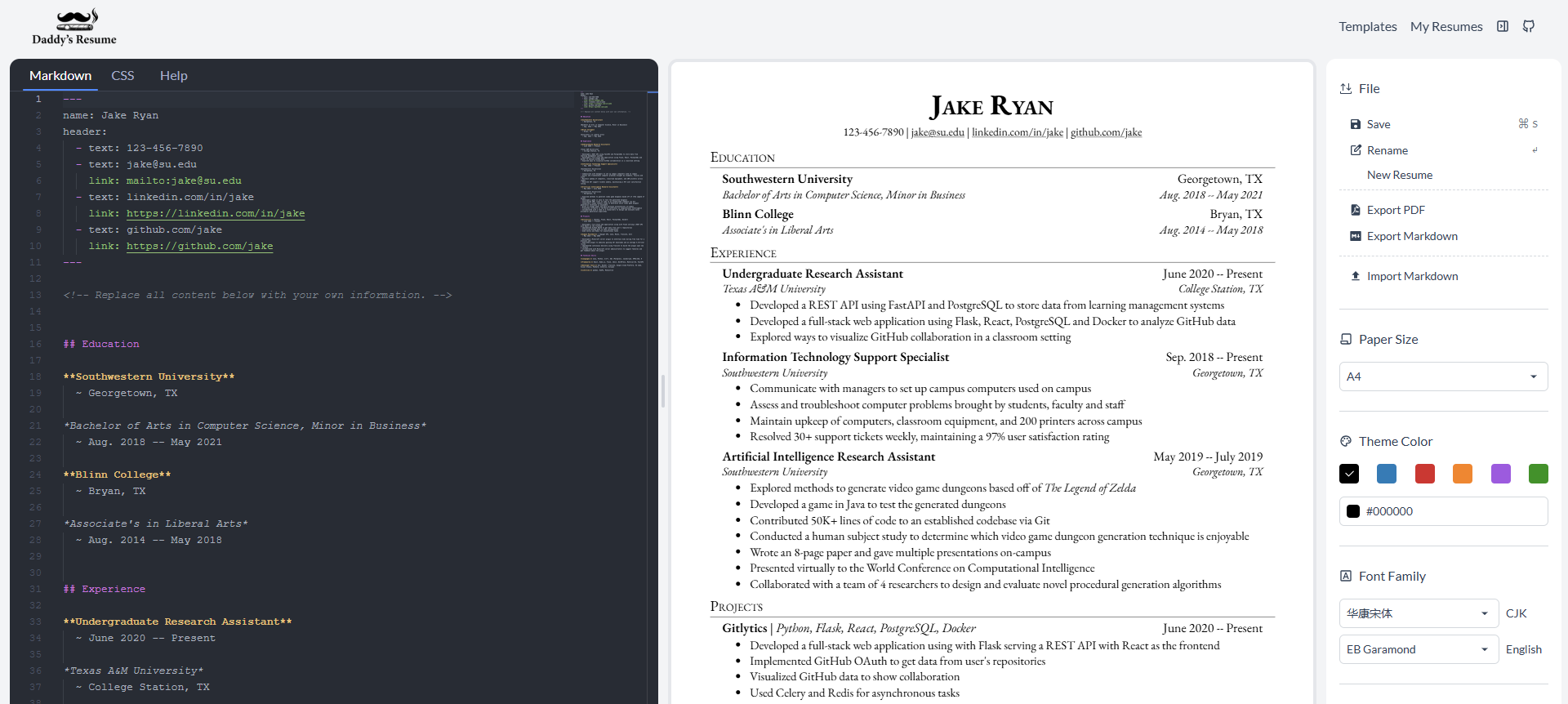
Create resumes in Markdown using ATS-friendly templates. Preview in real time, export to PDF and keep your data private in your browser with optional Google Drive sync.
Privacy first
Your data never touches our servers.
Everything stays in your browser. No sign-in, no cloud account, no database. When you need a backup, sync to your Google Drive.
Stored in your browser
All resumes live in your browser's local storage. Nothing is sent anywhere.
Sync to your own Drive
Back up to your own Google Drive if needed.
No login required
No account, no email, no registration. Just open and start.
Zero tracking
No third-party scripts, no analytics, no cookies.
Frequently asked questions
Everything about building a resume in Markdown with Daddy's Resume.
What is Daddy's Resume?
Daddy's Resume is a free, open source Markdown resume builder. You write your resume in Markdown, see it rendered as a PDF in real time, and export it with one click. There is no signup, and your data never leaves your browser.
What is a Markdown resume builder?
A Markdown resume builder lets you write your resume using Markdown syntax — a simple, readable plain text format — and automatically renders it as a formatted PDF. Because the content is plain text, it stays easy to version, diff and reuse across job applications.
How do I create a resume in Markdown?
Pick an ATS-friendly template, fill in your details using Markdown syntax in the built-in editor, and watch the formatted PDF update in real time. When you are happy with it, export to PDF with one click. No signup or account needed.
Is this Markdown resume builder free?
Yes, Daddy's Resume is completely free. It is open source under GPL-3.0 with no paid plans, no subscriptions and no hidden costs.
Are the resume templates ATS-friendly?
Yes. Every template is designed to be ATS (Applicant Tracking System) friendly — clean formatting, standard fonts, and structured sections that parse correctly in recruiter software.
Do I need to create an account?
No. You can build and export your resume without creating an account or giving an email address. Your resume data is stored locally in your browser.
Where is my resume data stored?
Your resume data is stored entirely in your browser's local storage. Nothing is sent to any server. Optionally, you can back up to your own Google Drive.
Can I export my resume to PDF?
Yes. Daddy's Resume exports your Markdown resume to a high-quality PDF with one click, directly from your browser. A4 and US Letter page sizes are both supported.
Start writing your resume.
No sign-up. No credit card. Just open your browser.